




01234567890 01234567890
Refining pixels...
100

EVERwardrobe

Reimagining a mobile wardrobe experience
Through in-depth UX research, system architecture, and intuitive interaction design

brand architecture

EVER wardrobe is a mobile application designed to help users digitize their wardrobe, create outfits, and explore looks using AI-powered virtual styling.

The main goal of the project was to design a clean, intuitive, and modern interface that makes daily outfit planning simple, visual, and enjoyable.

Project
Mobile app
Category
Lifestyle
Project Year
2025

project timeline

The project was completed over a 7-week period, covering research, concept exploration, visual design, prototyping, and final UI refinement.

problems & solutions

Problem

Most users struggle with choosing what to wear because their wardrobe lacks structure, making it hard to visualize outfits and combine pieces efficiently.

Solution

EVER wardrobe digitizes the wardrobe and uses AI to suggest outfits using only personal items, mixing them with EVER outwear pieces, or creating complete looks from the EVER collection, helping users plan outfits faster and with confidence.

Problems users face

hypothesis

Hypothesis 1

Users spend too much time choosing outfits, as they struggle to decide what to wear in the morning for everyday situations and special events.

Hypothesis 2

Users spend too much time packing for trips, as they don’t know which items to choose and tend to pack too many unnecessary things.

Hypothesis 3

Users struggle to choose what to wear, as they lack outfit ideas and end up wearing the same standard combinations repeatedly.

customer journey map

Drag to explore

user persona

Sara

Sara

UX/UI designer in digital studio,
26 y/o

Background

Sara lives in a city where the weather changes several times a day; she wants to look stylish while keeping up with a busy schedule of meetings and social outings. She values comfort and minimalism, and sees a smart wardrobe as the perfect way to save time.

Job to be done

Verb:
To choose
Object:
an appropriate outfit
Context:
in the morning, before leaving the house

Job to be done

Verb:
To analyse and to choose
Object:
a wardrobe
Context:
when the season changes
Samad

Samad

Manager in tech company
32 y/o

Background

Samad leads a busy professional life and needs to get ready quickly in the mornings, valuing outfits that are stylish, practical, and weather-appropriate. He frequently travels for work and wants an app that suggests complete outfits for his trips.

Job to be done

Verb:
To pack up
Object:
a wardrobe
Context:
for a business trip

Job to be done

Verb:
To choose
Object:
a wardrobe for a day
Context:
quickly
Selma

Selma

Student
21 y/o

Background

A student with a busy, on-the-go lifestyle, often facing unpredictable weather. She loves fashion but struggles to organize her wardrobe efficiently, seeks inspiration, and wants to learn how to create stylish outfits from her existing clothes instead of buying impulsively.

Job to be done

Verb:
To choose
Object:
an appropriate outfit
Context:
for meetings with friends

Job to be done

Verb:
To choose
Object:
a wardrobe
Context:
for an official meeting

user flow

The user flow illustrates the core journey through the app — from onboarding and login to managing the wardrobe, trying on outfits, and exploring premium features. It ensures a clear, intuitive path with minimal friction at each step.

wireframes

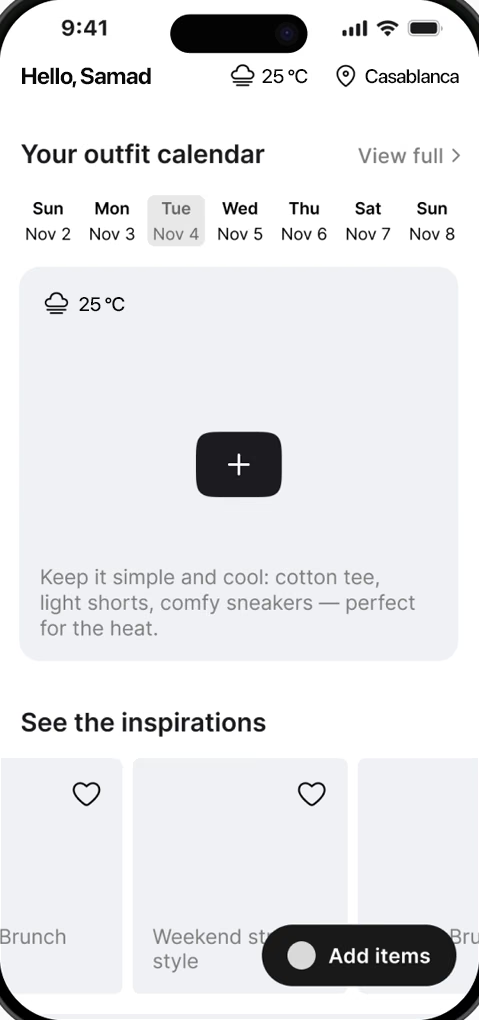
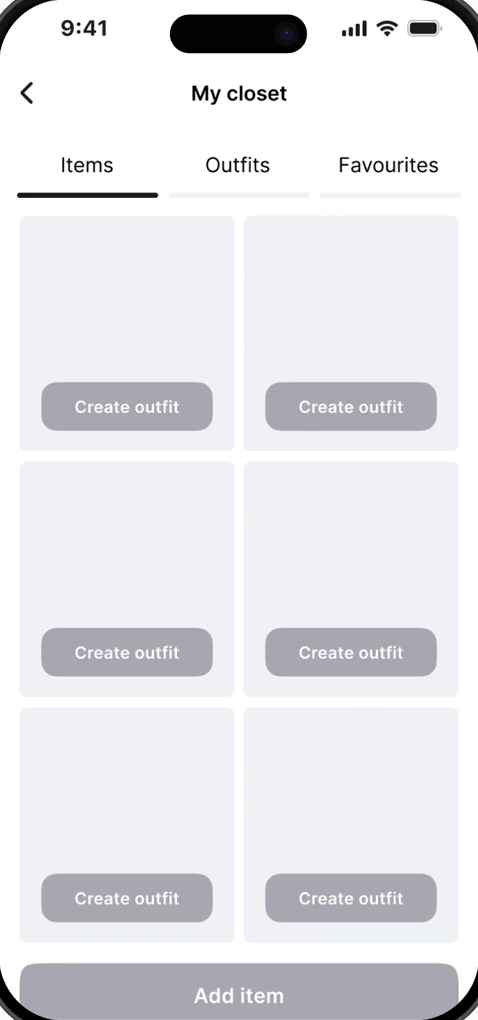
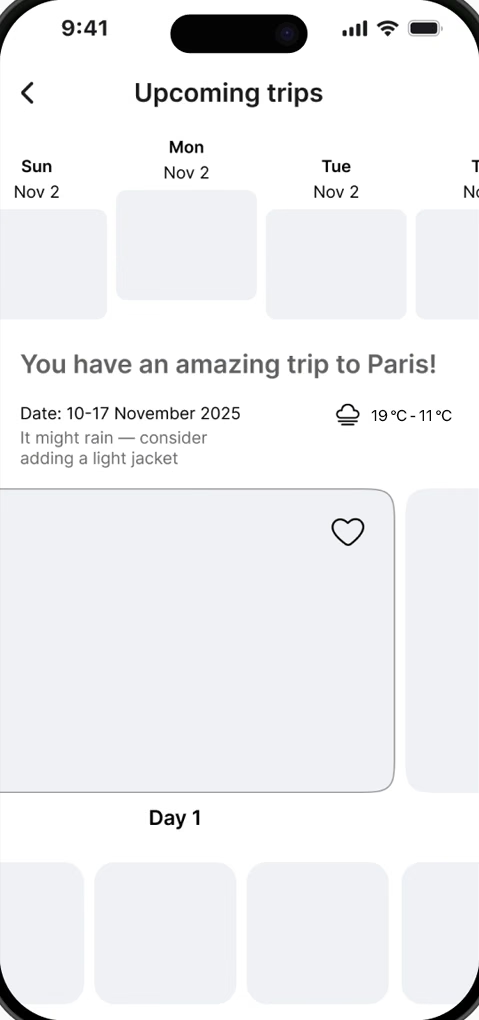
Based on the insights from user research, we created wireframes that reflect real user needs: quick outfit selection, weather-based recommendations, trip planning, and visual inspiration. The layouts focus on a clear home screen, simple creation flows, and minimal steps to reduce decision fatigue and help users feel confident in their daily choices.

Wireframe: home with outfit calendar and inspirations
Wireframe: my closet
Wireframe: upcoming trips
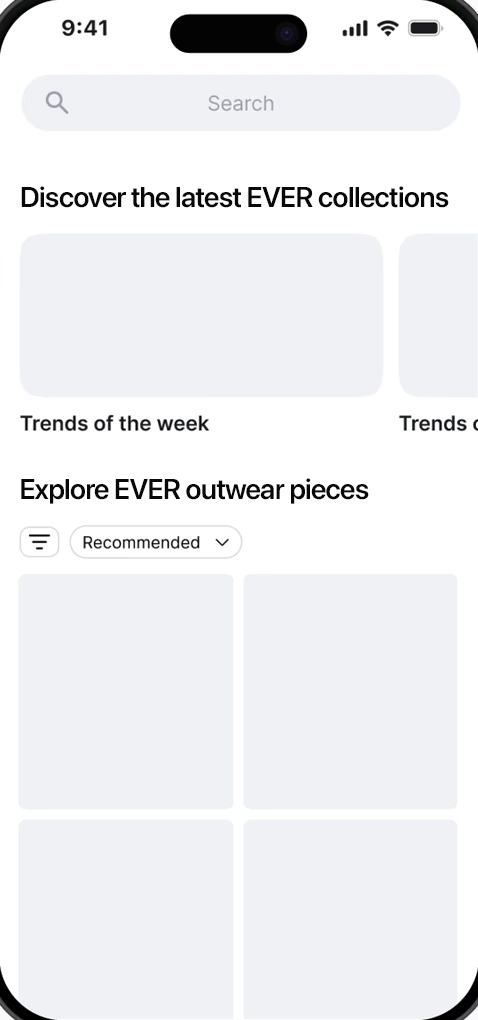
Wireframe: discover EVER collections

colour palette

Quiet neutrals let clothing photography carry the colour; one lemon accent marks every primary action. Tap a swatch to copy its HEX.

SF
Pro
Display

Get outfits that fit your life

AaBbCcDd
EeFfGgHhIiJjKkLl
MmNnOoPpQqRrSs
TtUuVvWwXxYyZz
0123456789
{[(&?!)]}

registration and log in

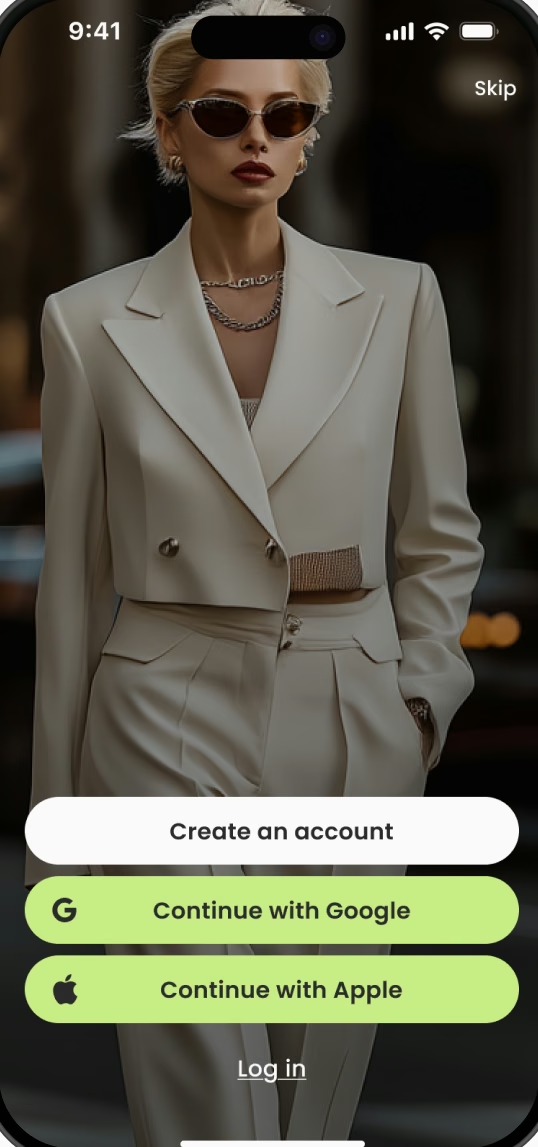
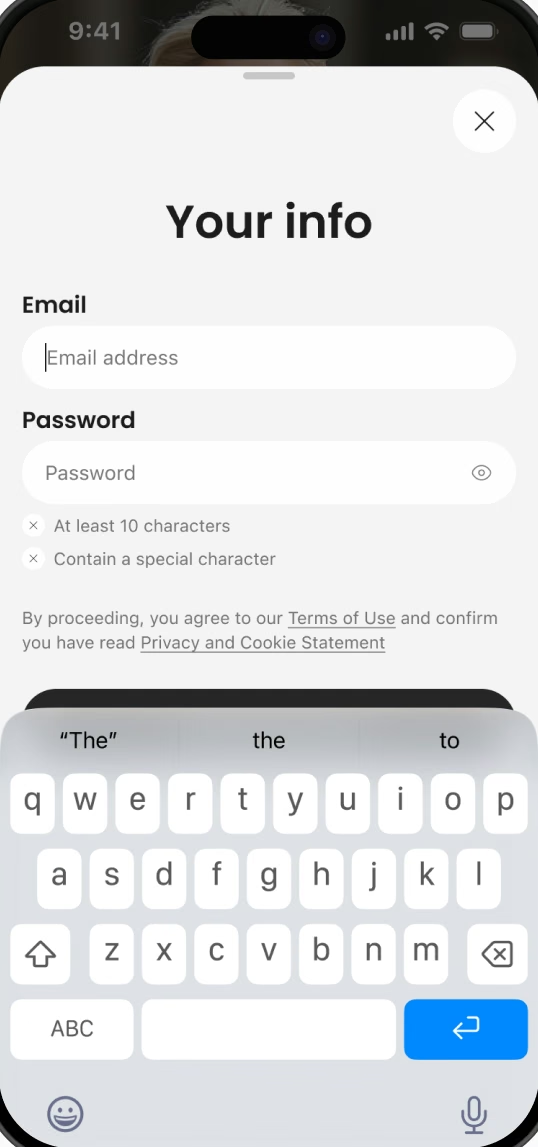
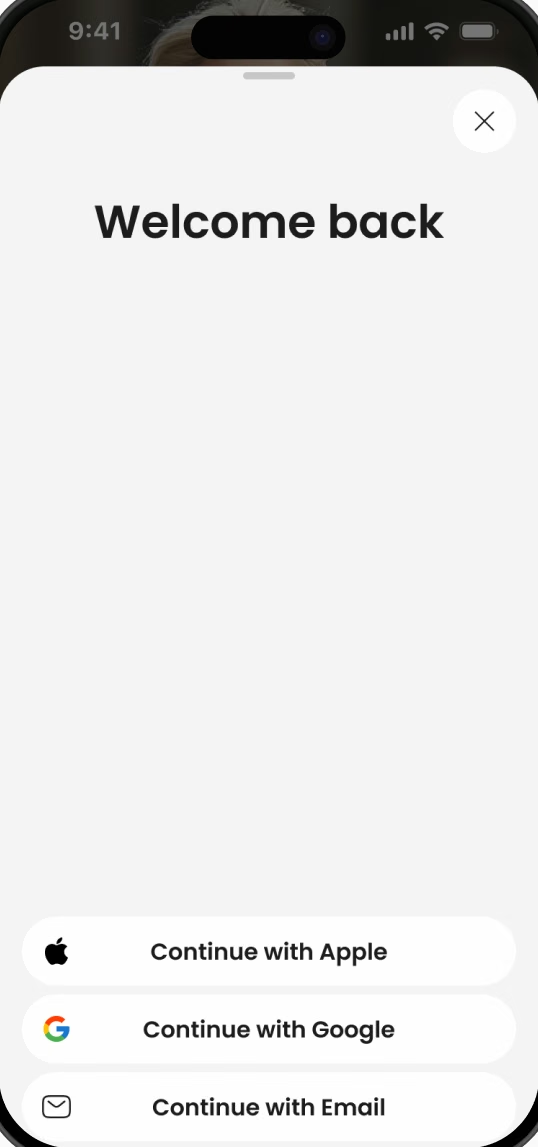
Users can sign up or log in using their email or social media accounts. Registration is required, as key features of the app rely on personal data to deliver personalized outfit recommendations and planning tools.

Welcome screen: create an account, continue with Google or Apple
Sign-up form with email and password rules
Welcome back: log in with Apple, Google or email

onboarding

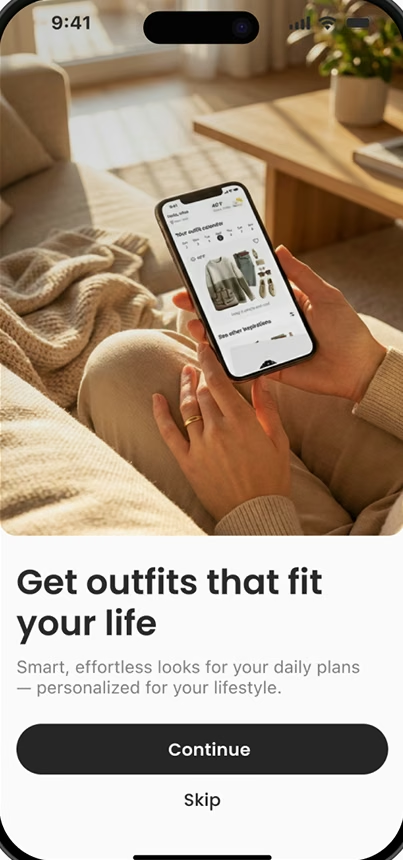
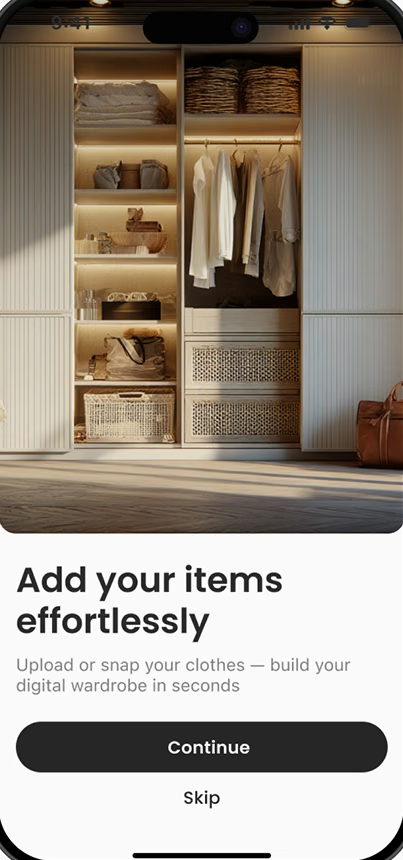
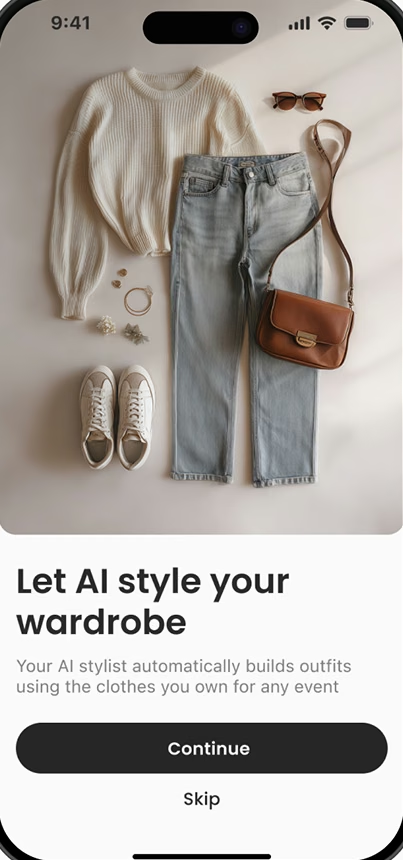
At the onboarding stage, users quickly understand the app’s value, see its main features, and get inspired by the idea.

Onboarding 1: Get outfits that fit your life
Onboarding 2: Add your items effortlessly
Onboarding 3: Let AI style your wardrobe

trip feature

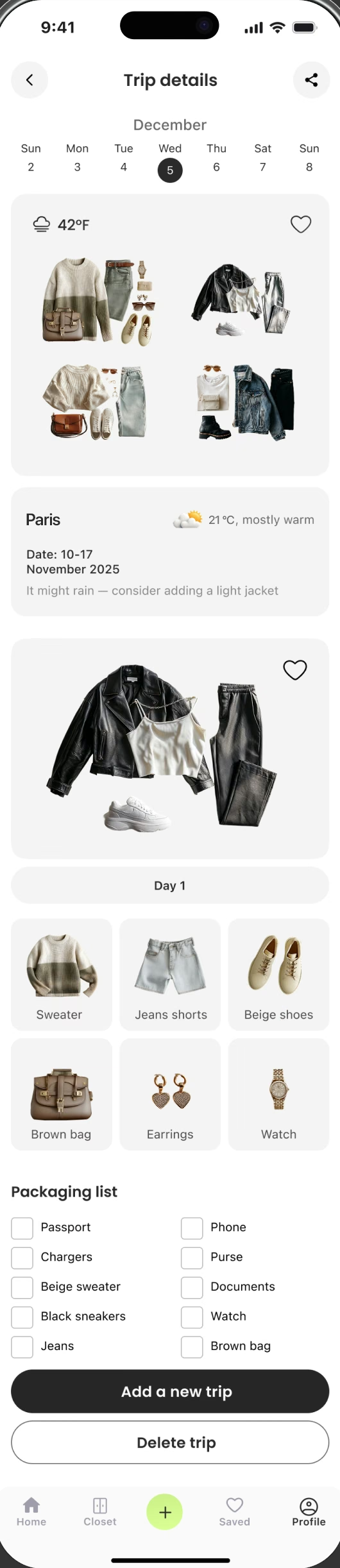
The Trip feature helps users plan outfits for travel based on destination, weather, trip duration, and activities. It generates coordinated looks and a smart packing list to save time, reduce stress, and avoid overpacking.

Trip details screen: trip calendar, daily outfits, Paris destination with weather advice, outfit details and packing list

calendar feature

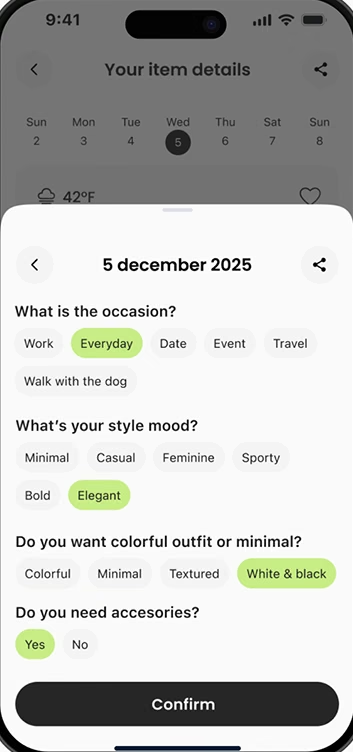
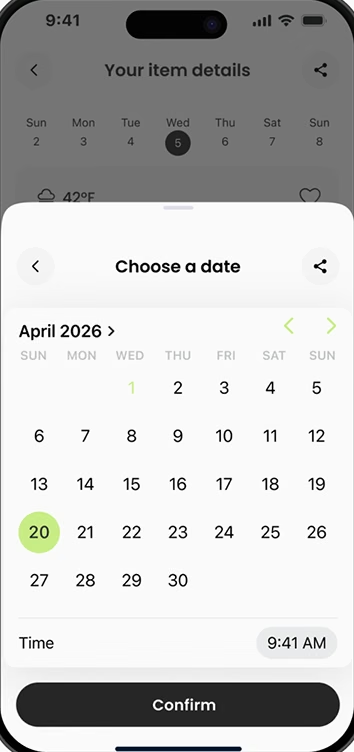
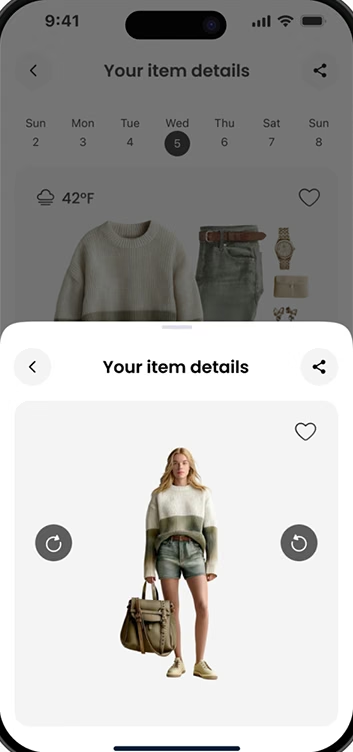
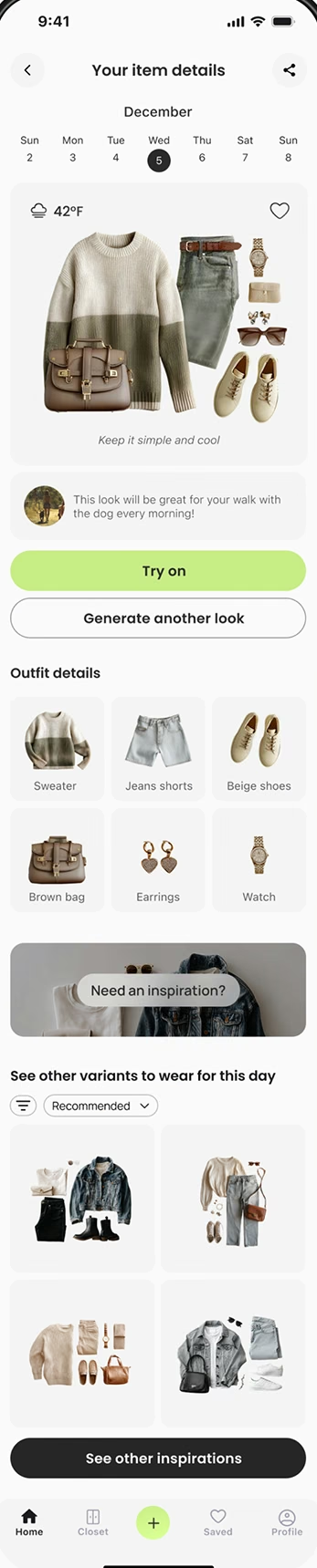
The Calendar feature helps users plan outfits ahead of time for specific days, events, and weather conditions. It also shows the outfit details and inspirations for that day, so users can pick another option and look exactly the way they want.

Day view: outfit for Wednesday with weather, try-on, outfit details and other variants
Outfit brief: occasion, style mood, colour and accessories
Choose a date and time
Virtual try-on of the planned outfit

wardrobe feature

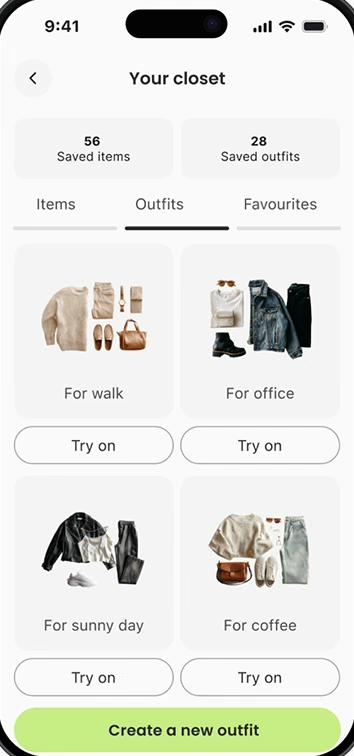
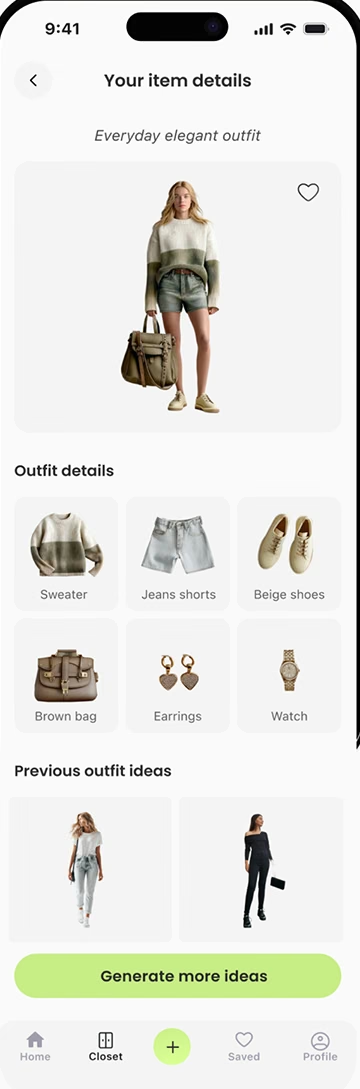
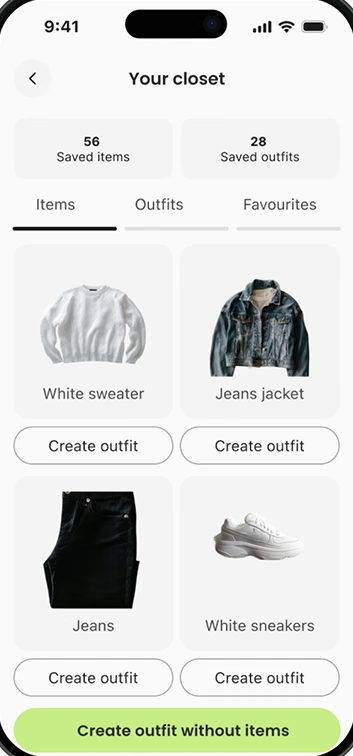
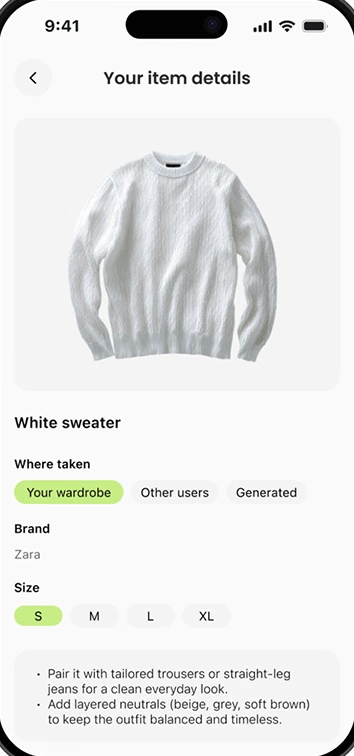
The Wardrobe feature allows users to store their clothing and generate personalized outfits based on the date and occasion. Looks are tailored to the user’s measurements and can be regenerated to explore different styling options.

Your closet: saved outfits
Outfit details: everyday elegant outfit, items and previous ideas
Your closet: saved items
Item details: white sweater, brand, size and styling tips

adding items

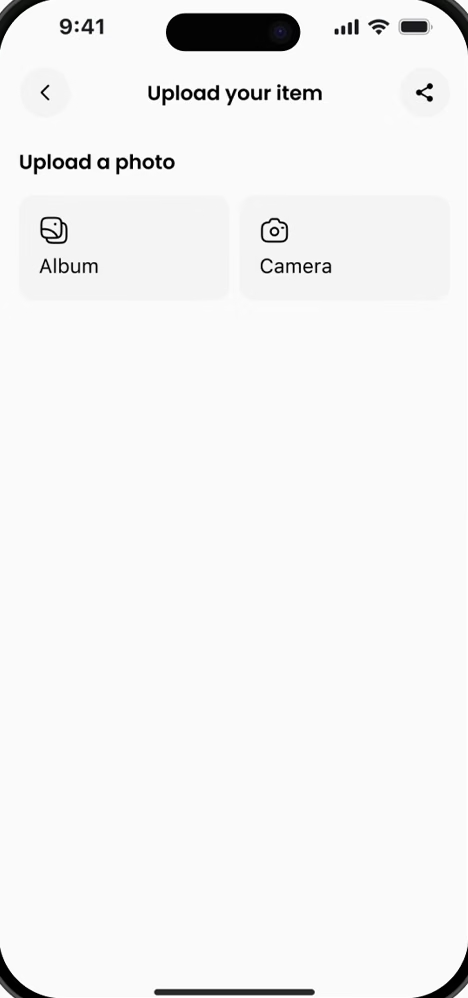
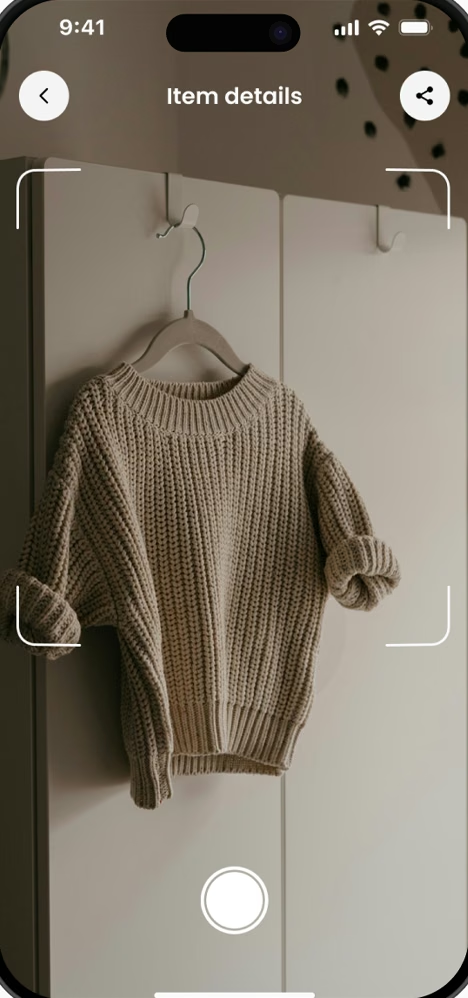
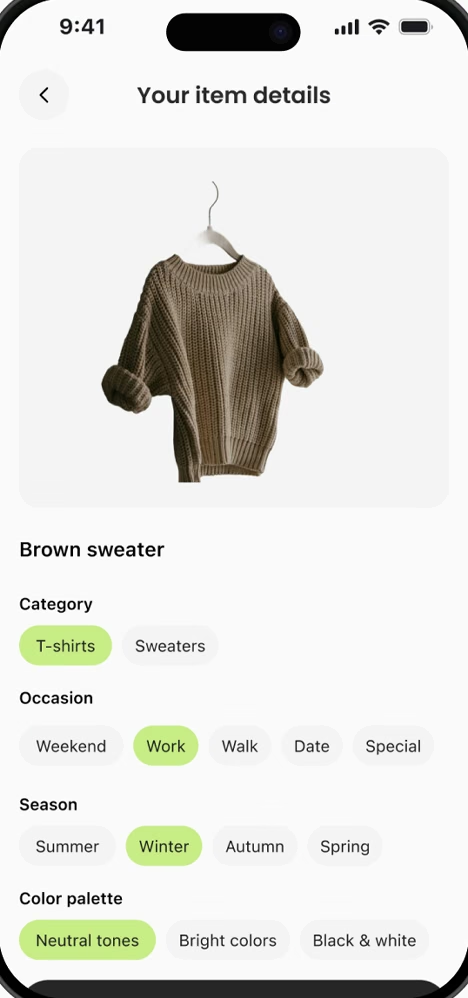
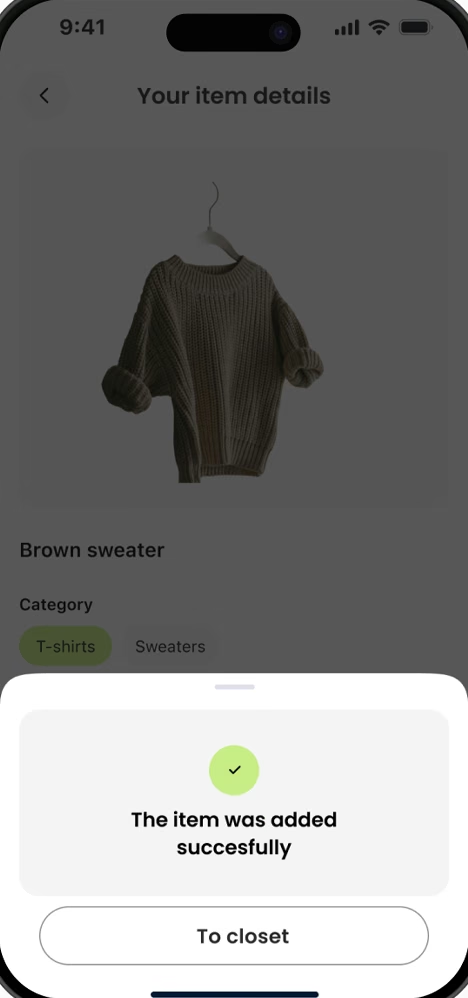
The Add Items feature lets users quickly digitize their wardrobe by taking a photo or uploading an image of their clothing. Each item is saved with key details and can be instantly used to generate outfits, plan looks in the calendar, or prepare outfits for trips.

Upload your item from album or camera
01Upload
Camera capture of a knitted sweater
02Capture
Item details: category, occasion, season, colour palette
03Tag details
Confirmation: the item was added successfully
04Saved to closet
AetherEvents
Keep Scrolling